AI Real Design › Free trainings
Rescue Your Family Photos with AI
Have an old family photo that's faded, cracked or torn, and maybe the only copy? In this free 10-minute video training, you'll repair it with AI and check that the faces are still theirs. Grandma should still look like Grandma.
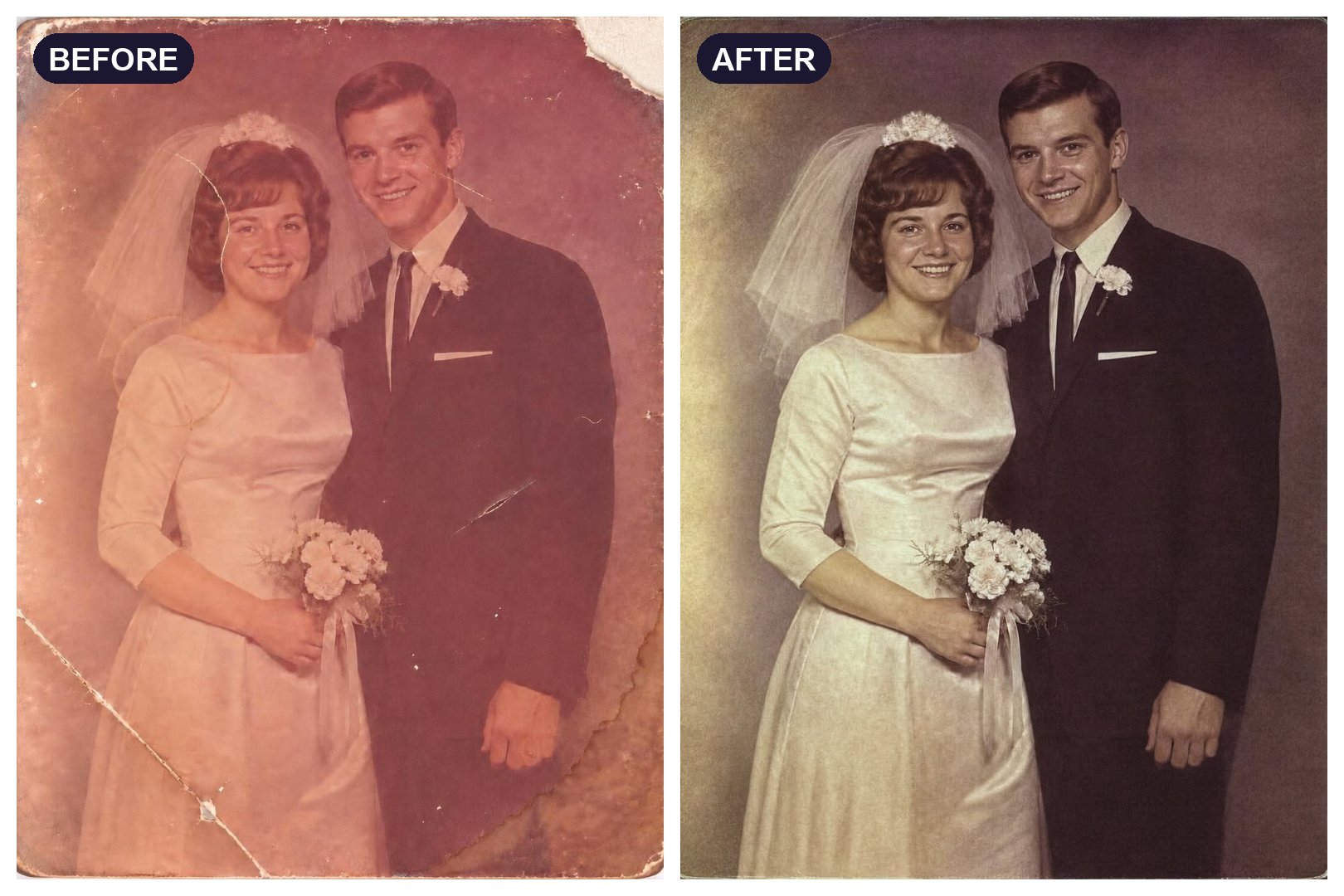
The problem with most AI photo restoration
AI doesn't really repair a photo. It redraws it. That's why so many "restored" photos look like a stranger or a wax figure. In our own test on a 1965 wedding photo, the all-in-one approach made her face thinner and his jaw squarer. This training shows you how to catch that and fix it.
What you'll make
- One repaired family photo, ready to print and share
- A side-by-side face check, so you know it's still the same people
- A simple way to catch it when AI changes a face
The 5 steps (the video shows each one)
- Diagnose. Name the damage, and name what isn't damaged: the faces.
- Prompt. Ask an AI image tool to fix only that damage. We give you the exact prompts.
- Catch the changes. Zoom in on the faces. If they changed, use our "damage only" prompt.
- Verify. Original and new version side by side: eyes, nose, mouth, jaw, smile.
- Finish. Fix the color, upscale and export a print-ready JPG.
Good to know
- Always keep your original scan. Never work on it directly.
- Call the new version "AI-enhanced" when you share it, especially for family history.
- Check your AI tool's privacy settings before uploading family photos.
Tools and what they cost
The training is free. On screen we use an AI image tool (OmniRogue, from $14.99 a month) and Photoshop, or Canva's free plan. You also need a scanner or your phone.
Taught by Ryan, our AI trainer. Ryan is an AI character, not a real person.
Free. Just your first name and email. No card.